Saves
Color-Chan allows you to create backups of your color list, called "saves". These saves can be used to restore your color list to a previous state at any time. This is useful if you want to experiment with different color lists or if you accidentally delete colors from your list.
Creating a save
A save can be created using the /save command. This command will automatically create a new backup of your current color list.
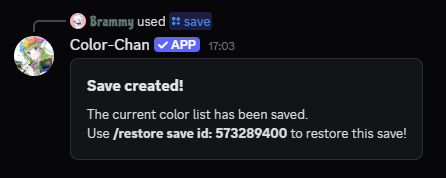
Example output of the /save command
As shown in the example above, each save is assigned a unique ID. This ID can be used to restore the save later.
Viewing saves
You can view all your saves using the /saves command. This command will display a list of all the saves you have created, along with their IDs, timestamps and an example command on how to restore the save.
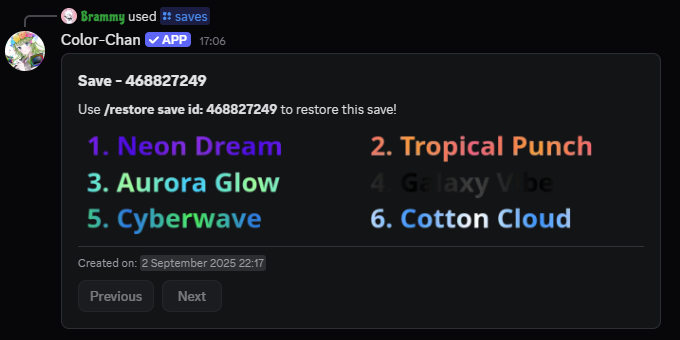
Example output of the /saves command
Sharing saves
One of the useful features of saves is the ability to share them with other Color-Chan users. We have a dedicated saves channel in our Discord server where you can view shared saves from other users.
To share your save, use the /share save id:<save_id> command, replacing <save_id> with the ID of the save you want to share. This will generate a new message in the save channel with your save.
Restoring a save
Caution
Restoring a save will overwrite your current color list with the colors from the save. Make sure to create a new save of your current color list before restoring a previous save if you want to keep it.
You can restore a previously created save using the /restore save id:<save_id> command, replacing <save_id> with the ID of the save you want to restore. First, a confirmation prompt will appear to ensure that you want to proceed with this action. Then, once confirmed, the save will be restored.
Deleting a save
Caution
Deleting a save is a permanent action and cannot be undone. Make sure to double-check before confirming the deletion.
You can delete a specific save using the /delete save id:<save_id> command, replacing <save_id> with the ID of the save you want to delete.